-
 Retirement Simplified
-
 Calculators
 Knowledge Centre
- Public Provident Fund
- NPS Reforms 2025
- EPF Rule Changes
- NPS vs Mutual Funds
- Multiple Scheme Framework (MSF)
- Wealth Creation and Legacy Planning
- Retirement Planning Under the Old & New Tax Regime
- Why Thinking Beyond FDs Is Important
- Retirement Corpus Planning
- Portfolio Diversification
- Senior Citizen Community Living in India
- View All
 Who we are
UAN Activation Process Explained with Common Errors
If you have recently started a new job or checked your salary slip for the first time, you may have noticed a 12-digit number linked to your Provident Fund account. That number is your Universal Account Number (UAN). This UAN is the backbone of your Employees’ Provident Fund (EPF) account, and it needs activation to check your PF status and transaction history.
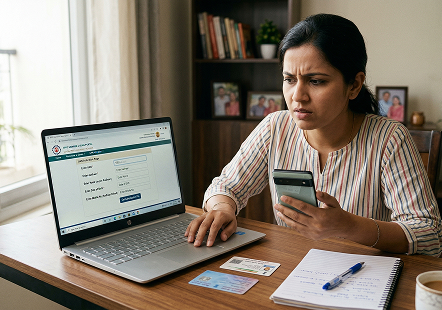
UAN activation helps you access the details of your EPF account, passbook, and online services. There are a number of employees who do not get their UAN activated on time due to the belief that the process of UAN activation is a complex procedure. However, the process of UAN activation is a simple one if you do it the right way. In this article, we will walk through the complete uan activation process step by step and see what common errors employees face and how you can fix them.
Quick EPF Balance Check Without UAN
Through PensionBazaar, you can check your EPF balance in less than 2 minutes, even without your UAN number. This hassle-free option helps you skip lengthy portal logins, OTP delays, and password recovery issues. It's a quick, convenient solution designed to save you valuable time and eliminate unnecessary trouble. For users who simply want to know:
- Current EPF balance
- Contribution history
- Projected retirement corpus
The process is faster, simpler, and saves customers time and unnecessary hassle compared to the official EPFO portal route.
What is UAN, and why is its activation important?
The Universal Account Number (UAN) is issued by the Employees' Provident Fund Organisation (EPFO) to every contributing employee. This 12-digit unique identification number remains the same throughout your working life, even when you change jobs. Each time you switch jobs, a new PF member ID is created and linked to your existing UAN. It links multiple PF accounts from different employers into a single umbrella.
Uan activation helps you in:
- Checking your EPF balance online quickly
- Downloading your EPF passbook
- Filing online PF withdrawal claims
- Updation of KYC details
- Receiving SMS alerts about contributions
- Transferring PF from one employer to another
- Monitoring contributions and transaction history
Prerequisites for UAN Activation
Before starting with uan activation process, know some prerequisites and check which documents are needed. Some of the prerequisites for UAN activation are:
- You must have a valid Aadhaar number
- Your Aadhaar must be linked to your mobile number
- You must have access to your Aadhaar-linked mobile number for OTP verification
- Keep PAN card handy (optional but recommended)
- Accurate details like Date of Birth (as per EPFO records)
- Bank account details
How to activate the UAN number online?
Before using the EPFO portal to access your online EPF services, you must register and activate your UAN. This uan activation process can be completed through the EPFO portal or through the UMANG app. Both ways are simple and easy. Check both ways and follow them to activate your UAN today:
-
Through the EPFO Member Portal
The uan activation process can be completed online through the official EPFO portal. Here is how you can do it:
- Visit the EPFO Member e-Sewa portal
- On the login page, select the "Activate UAN" option under the Important Links section
- Enter required details like:
- UAN number
- Member ID (optional but recommended)
- Aadhaar number or PAN
- Name (as per EPFO records)
- Date of Birth
- Mobile number
- Email ID
- You will receive a One-Time password (OTP) on your registered mobile number. Enter the OTP to verify your identity
- After successful verification, you can create a password. Once this is done, your uan activation is complete, and now you can log in anytime to access your PF account
-
Through the UMANG app
The Ministry of Electronics and IT-powered UMANG app offers many government services in one place, including EPF services. You can check your EPF balance and activate UAN through the UMANG app.
- Step 1 - Download the UMANG App: Go to the Google Play Store or Apple App Store to download the UMANG app
- Step 2 - Open UMANG App: Open the app and select 'EPFO services'. Go to the UAN Activation option, which is listed under 'UAN Services Through Face Authentication'
- Step 3 - Enter Required Details: Provide the following details:
- UAN
- Name (exactly as Aadhaar)
- DOB
- Aadhaar number
- Mobile number (Aadhaar linked)
- Step 4 - OTP Verification: Click on the send OTP option, and then verify your registered phone number. You can also install the Aadhaar Face RD App (if prompted)
- Step 5 - Face Authentication: Face authentication is an alternative verification method where available. Tap the Face Authentication option and get your face scan using UIDAI Authentication. Once verified, the system activates your UAN
Common Error During UAN Activation
Even though the process is pretty simple, a lot of people still hit roadblocks and find the process complex. Here are some most frequent issues that occur with people that you can watch out for during the UAN activation process:
-
Mobile Number Mismatch
If your mobile number is not updated or does not match the EPFO record, you will not receive OTP. In some cases, if the entered mobile number is not linked with Aadhaar, it often results in verification issues.
How to Fix:
- Check with HR to confirm the number they have registered from their side
- Ask your employer to update it in the EPFO portal
- After correction, try activating it again
-
Mismatch or Wrong Details
Typos or mismatches in your essential details, like name, DOB, mobile number, Aadhaar number, or PAN details, can lead to verification failure. Even differences like "Mohd." vs. "Mohammad" can cause rejection. If your Aadhaar details are not properly linked with your UAN, the system may stop the activation process.
How to Fix:
- Use the "Profile Correction" option via your employer
- Match names and DOBs while entering exactly the same with Aadhaar
- Avoid using abbreviations or initials differently across documents
-
UAN Not Linked to Aadhaar
UAN Not found issue usually arises when the Employer hasn't generated or linked it correctly. Many users attempt uan activation without linking Aadhaar to their UAN, which leads to verification issues.
How to Fix:
- Ask your employer to confirm UAN generation
- Use the Member ID (from the salary slip) instead of UAN to activate
- If no UAN exists, request the employer to generate it through the EPFO employer portal
-
Multiple UAN Generated
If you changed jobs frequently, you might unknowingly have more than one UAN. This complicates the uan activation process.
How to Fix:
- Inform your current employer about the issue and request that they merge UAN IDs
- Only one active UAN should exist to avoid any discrepancies
- You can also raise a grievance in the EPFO portal if required
-
Account Locked After Failed Attempts
At times, it may also occur that after several attempts with the wrong passwords, the account gets locked. This may result in a delay in the verification process.
How to Fix:
- Wait for 24 hours and make the attempt again
- Use the "forgot password" option and enter the OTP to change the password
Final Thoughts
Your UAN is not just a number; it is your life-long EPFO identification. By activating your UAN account, you will be fully in charge of your EPFO accounts, especially in situations like changing jobs or withdrawing your EPFO accounts. The most common mistakes that are made while activating the UAN account are minor discrepancies in the information or the process of linking the Aadhar card with the UAN account. By verifying the information and following the correct procedure, you can activate your UAN account in a matter of minutes.
FAQs
Ans. UAN activation is the process of enabling your Universal Account Number so you can access EPF services online, such as checking your balance, downloading a passbook, and filing claims.
Ans. Yes, you can activate your UAN through the UMANG app by selecting EPFO services and completing OTP verification.
Ans. Yes, Aadhaar linked with your registered mobile number is generally required for OTP-based verification.
Ans. You should verify your name, date of birth, and gender as per Aadhaar and request your employer to correct any discrepancies in EPFO records.
Ans. No, UAN activation is completely free whether done through the EPFO portal or the UMANG app.