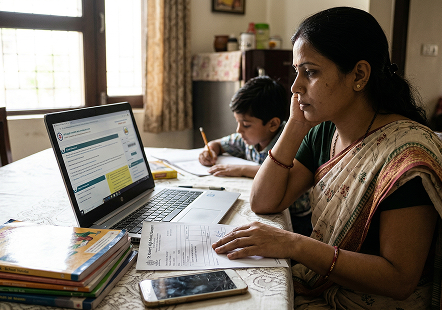
What is the EPFO WhatsApp Service?
The EPFO WhatsApp service allows members to access selected Provident Fund account details
through WhatsApp instead of visiting an EPFO office for routine account-related queries.
The EPFO WhatsApp service was launched by Union Minister for Labour and Employment Dr.
Mansukh Mandaviya, during the 74th Foundation Day celebration of The Employees' Provident Fund Organisation.
The initiative is part of EPFO's efforts to make routine services easier to access through digital
platforms.
Through the EPFO WhatsApp facility, members can:
- Check their PF balance.
- View their latest five PF transactions.
- Access their EPF passbook information.
- Receive guidance and assistance with requirements related to PMVBRY.
How to Check PF Balance on WhatsApp?
EPFO members can check their Provident Fund balance through the organisation's official
WhatsApp service without logging in to the EPFO Member Portal. Follow these steps to access your PF account
details.
- Save the EPFO WhatsApp Number: Save +91 8796441800 in your mobile contacts under the
name 'EPFO WhatsApp Services'. You can also open the chat directly by searching for this number on
WhatsApp.
- Open WhatsApp: Use the WhatsApp account associated with the mobile number registered
with your Universal Account Number
(UAN).
- Send a Message: Open the chat with EPFO's verified WhatsApp account and send Hi to
start the conversation.
- Select Your Preferred Language: Choose your preferred language from the options
displayed by the chatbot.
- Choose the PF Balance Option: Select the option for checking your EPF balance from the
available service menu.
- Complete Verification: Follow the instructions displayed in the chat. If OTP
verification is requested, complete it using the registered mobile number.
- View Your PF Balance: Once verification is complete, follow the chatbot's instructions
to view your available PF balance.
You can also scan the QR code shared through EPFO's official communication channels to open
the WhatsApp conversation directly.
How to Download Your EPF Passbook Through WhatsApp?
EPFO's WhatsApp service also allows members to access their EPF passbook information and
download their passbook. Follow these steps to access your passbook:
- Open the Official EPFO Chat: Start a conversation with +91 8796441800 on WhatsApp.
- Send 'Hi': Type and send Hi to initiate the chatbot service.
- Choose Your Language: Select your preferred language from the available options.
- Select the Passbook Service: Choose the option to access or download your EPF passbook.
- Complete Verification: Follow the identity verification instructions displayed by the
chatbot.
- Access Your Passbook: Once verification is successful, follow the on-screen
instructions to view or download your passbook.
Is the EPFO WhatsApp Service Safe?
The EPFO WhatsApp service offers members another way to access their Provident Fund
information. However, as with any digital service, it is important to make sure you are interacting with the
official account and protecting your personal details.
Keep the following precautions in mind when using the EPFO WhatsAPP service:
- Use the official WhatsApp number: Save and contact only the EPFO number +91 8796441800
announced for this service. Avoid numbers shared through unverified messages, social media posts or
third-party websites.
- Check the number before sharing information: Make sure the chat is with the intended
EPFO account before proceeding with any service request.
- Do not share your UAN password: You should not disclose your EPFO login password to
anyone claiming to help you access your account.
- Be cautious of requests for personal or banking details: EPFO warns members against
sharing sensitive information such as Aadhaar, PAN and bank details in response to unsolicited calls or
messages.
- Do not make payments to access PF services: EPFO warns members not to respond to
requests for monetary deposits made in its name.
- Do not click suspicious links: Avoid links or attachments sent by unknown numbers,
particularly those asking you to update your KYC details, verify your account or claim a PF payment.
Other Ways to Check Your EPF Balance
Apart from WhatsApp, members can use the following ways to access their EPF account balance.
-
Through the EPFO Member Portal
The EPFO Member Portal allows members to access their PF account details and view
their passbook.
- Visit the EPFO Member
Portal.
- Log in using your UAN, password and the displayed captcha.
- Go to the relevant passbook or account details section.
- Select your PF Member ID to view the available account information.
-
Through the UMANG App
The UMANG app provides access to various EPFO services through a mobile application.
- Download and open the UMANG app on your smartphone.
- Log in or complete the required registration.
- Search for EPFO under the available services.
- Select the relevant service, such as Employee Centric Services or View Passbook.
- Follow the on-screen instructions to access your PF details.
-
Through SMS
Members with an activated UAN can check their latest PF contribution and balance by
sending an SMS from their mobile number registered with EPFO.
- Open the SMS application on your registered mobile number.
- Type EPFOHO UAN.
- Send the message to 7738299899.
To receive the response in a language other than English, add the relevant
three-letter language code after UAN. For example, to receive the information in Hindi, send EPFOHO
UAN HIN.
-
Through a Missed Call
EPFO also provides a missed-call facility for members who want to check their latest
PF contribution and balance without using the internet.
- Give a missed call to 9966044425 from your mobile number registered with UAN.
- The call will disconnect automatically.
- You can receive your latest PF contribution and balance details if your UAN is activated and at
least one of the required KYC details is linked to it, such as Aadhaar, PAN or bank account
information.






 27 Oct 2026