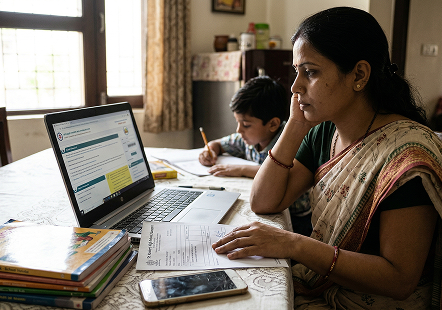
What if you had to open your EPF passbook just to check your
account balance and were surprised at what you saw? Maybe there was less money put into your
account, or maybe even a certain month was not logged in the passbook. Small mistakes like these
can create a big problem.
Three Schemes, One Registration
EPF + EPS pension + EDLI life cover. You're auto-enrolled in all three.
New 2025 Withdrawal Rules
13 clauses cut to 3 categories. Up to 90% for housing after just 3 years.
6 Crore Members, ₹18 Lakh Crore
One of the largest retirement systems in the world.
Employer Adds 20-30% to Your Corpus
Their 12% match compounds alongside yours for your whole career.
EPF passbook is the official document containing records of your hard-earned Provident Fund
contributions. If errors exist within this document, this can significantly affect withdrawals, transfers, and
even the final settlement. As a result, knowing EPF passbook errors and solutions is very important, and this
article will cover this topic extensively.
Quick EPF Balance Check Tool
While the EPFO portal allows employees to check their balance through UAN login, many users
prefer a faster
method that avoids multiple login steps.
Through PensionBazaar, you can check your EPF balance in less than two minutes, even if you
do not remember
your UAN number. The tool simplifies the process by removing the need for portal navigation, captcha
verification, or password recovery.
This quick check helps you instantly see:
Current EPF balance
Contribution history
Projected retirement corpus
The process is significantly simpler and saves time compared to checking your balance through
the official
EPFO portal.
What Is an EPF Passbook?
Before discussing the errors in the EPF passbook, it is essential to understand what the
passbook is. The EPF
passbook is an online statement that can be found on the UAN member portal. Your EPF passbook is considered
proof of your savings and contributions. Any error in your passbook may create difficulties during
withdrawal.
Employee contribution
Employer contribution
Pension contribution (EPS)
Interest credited
Total PF balance
Why Do EPF Passbook Errors Occur?
Most EPF passbook errors happen due to technical, administrative, or data-entry issues.
Sometimes employers delay uploading contributions. In other cases, personal details mismatch across records.
Let's look at the most common issues.
Missing Monthly Contributions
One of the most frequent EPF passbook errors is missing entries for certain months.
This
usually happens when:
The employer has delayed depositing contributions
Contributions have been deposited, but they are not yet reflected on the website.
There is a technical sync delay on the EPFO portal
Please note: Sometimes, passbook updates are delayed due to EPFO system upgrades or
ledger
migrations, which temporarily delay the visibility of contributions even though the funds are
already
deposited.
Solution:
It is recommended that you check with your Human Resources Department if your contribution was
deposited.
If the payment was recently made, allow some processing time before raising a grievance
If the issue persists, raise a grievance through the EPFiGMS (EPFO Grievance Management System)
Incorrect Personal Details
An incorrect name, date of birth, or father's name is another common issue under UAN
passbook
issues. These errors often occur due to:
Data entry mistakes during onboarding
Mismatch between Aadhaar and EPF records
Manual record migration from old systems
Solution:
Update the details through the UAN portal under "Modify Basic Details"
Verify the Aadhaar card
Submit the documents
PF Balance Mismatch
In some cases, the employee might find a mismatch between the PF contribution
expected to be deducted
from
the actual passbook balance. This might be because:
Employer contribution split between EPF and EPS
Interest not yet credited
The previous employer's balance was not transferred
For instance, 12% of your salary will be paid by you, while another 12% will be paid
by the employer.
But
from the 12%, only 8.33% will be deducted from the salary (of up to ₹15,000 per month), making it go
to the
EPS, thereby meaning that no more than ₹1,250 will be put towards the pension fund. This disparity
may lead
to confusion and, hence, be considered an error in the EPF passbook.
Solution:
Check the contribution breakup carefully
Verify EPS share deduction
Initiate PF transfer if the previous balance is missing
Interest Not Updated
EPF interest is calculated monthly on the running balance but credited annually after
the financial
year
ends. The actual credit entry usually appears a few months later, typically between July and
September, once
the interest rate is approved and EPFO completes the system-wide update.
If you check your passbook during the mid-year period, you may not see any interest
being reflected.
This may
lead you to assume that the amount is missing. It is always advisable to check if the interest is
officially
credited for that financial year before assuming any mistakes in the passbook of the EPF account.
Solution:
Wait 24 to 48 hours if your UAN was recently activated
If the issue continues, try during non-peak hours or contact EPFO support
Check after the annual update period
Passbook Not Available for Download
If your UAN has been recently activated or your employer has recently filed
contributions, the
passbook may
take a few days to become available. Temporary system updates or maintenance on the EPFO portal may
also
cause short-term access issues. Sometimes members face difficulty downloading the passbook from the
portal.
This may occur due to:
Recently activated UAN
Technical maintenance
Multiple Member IDs under one UAN
Solution:
Wait a few days if your UAN was recently activated or contributions were recently filed by your
employer.
Check after the annual update period.
This is one of the most misunderstood EPF passbook errors.
Employer Not Depositing Contributions
This is not technically a passbook error, but an employer compliance issue. It is,
however, presented
as an
error from the employee's point of view. It happens when there are no deposits made. Even if no new
contributions are made, EPF accounts continue earning interest until the member reaches the age of
58, as
per EPFO policy changes implemented in 2016.
Reporting this issue early helps prevent delays and complications in the future. Some
of the signs of
this
issue are:
Zero contribution for multiple months.
HR is not providing clarity.
Salary slip showing deduction but no PF entry.
Solution:
Raise a concern with the employer immediately
File a complaint through the EPFO grievance portal
Contact the regional EPF office if required
Multiple Member IDs Showing Separately
When you change jobs, new Member IDs may appear. If not merged and transferred
properly, this creates
confusion in the EPF passbook. Even after linking multiple Member IDs to one UAN, old balances do
not
automatically merge. The employee must initiate a transfer request. This situation is commonly
classified
among UAN passbook issues, but it is not exactly an error; it's an incomplete transfer process.
If old balances are not consolidated, you might think funds are missing, resulting in
a perceived PF
balance
mismatch. Consolidating accounts helps eliminate PF balance mismatch problems.
Solution:
Initiate online PF transfer
Merge previous Member IDs under the current UAN
How to Perform EPF Passbook Correction
It is very important to ensure that your Aadhaar, PAN, and bank details match your EPF
database before
initiating the correction. This will help you avoid difficulties in the EPF passbook correction process. If
you identify EPF passbook errors, here's how you can initiate EPF passbook
correction:
Log in to the UAN member portal
Go to the "Manage" section
Select "Modify Basic Details" for personal information updates
For contribution issues, raise an online grievance
Track request status regularly
How to Raise EPF Grievance for Passbook Errors
If your problem does not get solved through simple means, then the next step for you will be
to lodge a
complaint via the EPFO grievances procedure. Such an option becomes more relevant when there are recurring
problems regarding your EPF passbook, PF balance discrepancy, or any problem related to your employer. It is
one of the most effective ways to handle serious UAN passbook issues.
Step-by-Step Process to Raise EPF Grievance
Open EPFiGMS Portal (EPF Grievance Management System)
Select the "Register Grievance" option
Provide UAN number and personal details
Select the grievance type you want to file
Give details about your grievance (e.g., problem with EPF passbook, mismatch in PF account, etc.)
Attach all necessary documents
Submit the application and record the registration number
Once submitted, you can track the status of your complaint using the same portal. Most
grievances related to
EPF passbook correction are resolved within a few weeks, depending on the complexity.
How Long Does an EPF Passbook Update Take?
Most employees think that there is a problem, while, in truth, their passbook is simply not
yet updated.
Knowing the schedule will prevent employees from worrying about any mistakes in their EPF passbook. The EPFO
system updates records depending on how long it takes for employers to file information.
Typical Update Timelines
Monthly contributions: Updated within 3 to 7 working days after the employer deposit
Recent UAN activation: Passbook may take 24 to 48 hours to become visible
PF transfer: Can take 10 to 20 working days to reflect in the passbook
Interest credit: Updated annually (usually between July and September)
When Should You Be Concerned?
Initiating EPF passbook correction or raising a grievance becomes necessary to avoid future
EPF claim
rejection issues. You should take action if:
Contribution is still outstanding for more than two months
The money transferred has yet to show up, even after 20 days
Mismatch of PF Balance is an ongoing issue
Data fails to update even after repeated verification attempts
Preventive Measures to Avoid Future Errors
Not every discrepancy requires urgent action. However, early correction of EPF passbook
errors protects your
long-term retirement savings. Even small discrepancies can affect your final corpus significantly.
Therefore, it is important to make it a habit to check your passbook every three to four months.
Ensure your Aadhaar, PAN, and bank details are linked and verified. After changing jobs,
initiate the PF
transfer immediately instead of waiting. Cross-check salary slips with passbook entries. These small steps
reduce the likelihood of PF balance mismatch and minimize other UAN passbook issues.
Furthermore, you should also act quickly if:
Contributions have been missing for more than two months.
Your EPF passbook serves as the backbone of your retirement savings history. Although EPF
passbook errors are
common, they are usually easy to fix. From missing contributions to personal details, knowing the cause of
the issue allows you to take the necessary steps to fix it as soon as possible.
Whether it is missing information, incorrect personal information, or balance confusion,
there are solutions
to all common issues. Keeping yourself educated and regularly checking your information will help you avoid
issues related to PF balance mismatch, rejection of EPF claims, and more.
FAQs
Q. How often should I check my EPF passbook?
It is advisable to check your EPF passbook at least once every 3 to 4 months. Regular monitoring helps you quickly identify missing contributions, balance discrepancies, or personal detail errors before they become major issues.
Q. Why is my employer’s full 12% contribution not visible in my EPF passbook?
A portion of the employer’s 12% contribution is diverted to the Employees’ Pension Scheme (EPS). Only the remaining amount reflects in the EPF balance, which often creates confusion about a PF balance mismatch.
Q. What should I do if PF is deducted from my salary but not shown in the passbook?
First, confirm with your HR department whether the contribution has been deposited. If it is not updated after a reasonable time, you should file a complaint through the EPFO grievance portal with supporting salary slips.
Q. Can I correct EPF passbook errors after leaving my job?
Yes, corrections can be made after leaving your job through the UAN portal, but only if your Aadhaar has been linked and verified. However, some corrections require the approval of your employer.
Q. What happens if I do not fix EPF passbook errors?
Failure to correct will only result in late withdrawals, smaller payments during settlements, or even difficulties in making any transfers. Prompt correction helps keep your retirement funds safe.







 22 Oct 2026