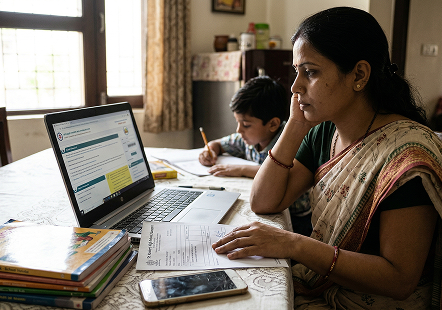
Step-by-Step NPS Vatsalya Registration Online Process
Parents and legal guardians can open an NPS Vatsalya account online through the official eNPS
platform. During registration, the guardian can select a Central Recordkeeping Agency (CRA), such as
Protean, KFintech or CAMS. The main NPS Vatsalya registration online process includes the following steps.
Step 1: Visit an Authorised Registration Platform
First of all login to eNPS official portal or service
providers which provides NPS Vatsalya account opening services. To get started, select the NPS Vatsalya sign
up online option and carefully follow the instructions.
Step 2: Enter Guardian Details
Now enter the full name, date of birth, phone number, e-mail address, home address and ID
details for each parent or legal guardian. The information contained above should be consistent with the
accompanying documentation to avoid verification problems.
Step 3: Minor's Information
Then you have to fill in the details of the minor, such as full name, DOB, gender,
relationship with guardian and other details required in the application form. With accurate information,
the process to register for NPS Vatsalya online becomes very easy.
Step 4: Select a Central Recordkeeping Agency
Choose a Central Recordkeeping Agency (CRA) from the available options: Protean, KFintech or
CAMS. The chosen CRA will be responsible for keeping the NPS account records, and they will also provide
those kinds of account-related services.
Step 5: Complete KYC and Identity Verification
Complete the required Know Your Customer (KYC) process for the guardian through the
verification method available on the eNPS platform. The required identity and address details must be
provided accurately for verification.
Step 6: Submit supporting documents
Please upload the mentioned document(s) in the acceptable format as clear scan copies/
photos. Officials are asking applicants to please re-check that all of the documents are valid, readable and
they are also within the allowed file size limits, so it avoids any delays.
Step 7: Choose an Investment Option
Select the investment option available under NPS Vatsalya. The default option is a Lifecycle
Fund, where the equity allocation is set according to the applicable lifecycle strategy and reduces
automatically over time. Active Choice lets the guardian set up the asset allocation based on what's allowed
within the investment limits.
Step 8: Make the Initial Contribution
Make the initial contribution through the payment options available on the eNPS platform. For
opening an account, and also the annual contribution, the minimum is ₹250.
Step 9: Review and Submit the Application
Please make sure to check all the given information, associated papers and payment details
before you submit the application. The more accurate the information, the less likely it is to cause a
processing delay.
Step 10: Application Verification
It is examined by the appropriate registration authority. The applicant may be reached if the
authority needs any clarification or other documents before the application is actually approved.
Step 11: PRAN Generation
On successful opening and verification of the NPS Vatsalya account, PRAN (Permanent Retirement Account Number) is
generated for the minor child. The PRAN is used for future contributions, online account management and
transaction tracking.
Who Can Apply for NPS Vatsalya Online?
The following eligibility criteria should be met before applying through NPS Vatsalya
registration online:
| Eligibility Criteria |
Details |
| Beneficiary |
The account can be opened only for a minor child. |
| Applicant |
The application must be submitted by a parent or legally appointed guardian on behalf of the
minor. |
| KYC Requirement |
The parent or guardian must complete the applicable Know Your Customer (KYC) verification
process. |
| Document Availability |
All of the required documents, like a proper ID and proof of residence, should already be
ready for the checks and for verification. |
| Initial Contribution |
A minimum initial contribution of ₹1,000 is required at the time of account opening. The
minimum annual contribution is also ₹1,000, with no maximum contribution limit. |
| Account Management |
The parent or legal guardian manages the account until the child reaches the eligible age
specified under the NPS Vatsalya scheme. |
Documents Required for NPS Vatsalya Registration Online
Before you start the NPS Vatsalya registration online, keep the needed documents ready. That
makes the verification part go smoothly, and your account opens faster.
| Document Category |
Commonly Accepted Documents |
Purpose |
| Identity Proof of Parent or Guardian |
Aadhaar Card, PAN Card, Passport, Driving Licence, Voter Identity Card |
Must verify the identity of the parent/legal guardian at the time of registration. |
| Address Proof |
Aadhaar Card, Passport, Utility Bill (where applicable), Bank Account Statement,
Government-issued Address Proof |
Verifies the home address of the parent or guardian. |
| Proof of Date of Birth of the Minor |
Birth Certificate, Passport, School Certificate (where accepted), Other officially
recognised date of birth document |
Verifies the age and date of birth of the minor child. |
| Photograph |
Recent passport-size photos of the Parent / Guardian (if applicable) |
Depending on the registration platform, identity verification may be necessary. |
| Bank Account Details |
Other banking details of the parent or guardian (bank account number etc.) |
Financed for initial contribution and future investment. |
| Additional Verification (if applicable) |
Any document that may be requested by the permitted registration platform, like Electronic
Know Your Customer (eKYC) etc. |
It may be necessary, according to your selected portal for registration and your
verification form. |
Note: The exact document requirements may vary depending on the authorised
registration platform and the applicable Know Your Customer (KYC) guidelines.
Common Mistakes to Avoid During Registration
By filling out the NPS Vatsalya registration form online, applicants can prevent typical
registration errors that sometimes pass unnoticed by individuals and thereby save delays.
Some of the more common errors are:
- Wrong personal information entered.
- Uploading unclear or incomplete documents.
- Providing mismatched identity details.
- Using expired identification documents.
- Entering the wrong mobile number or email address by mistake.
- Skipping mandatory fields in the application.
- Failing to review the application before submission.
Double checking every single thing before you submit it can help everything move more
smoothly through processing.
Conclusion
NPS Vatsalya registration online is a fast and easy solution for parents and legal guardians
to register a retirement-based investing account for their child. The digital strategy provides online
account application, document verification and secure payment possibilities. Correct information, acceptable
documents and the necessary initial contribution in filing NPS Vatsalya registration online can help ensure
smooth account activation and PRAN generation.




 05 Oct 2026