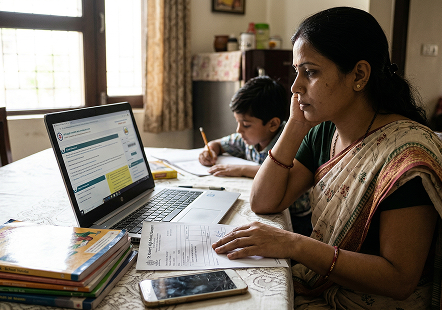
What Does an EPFO Account Locked Message Mean?
If you forget your EPFO login details and end up entering incorrect account details multiple
times, the EPFO portal may temporarily restrict login access to your account as a security measure. You may
see a message pop-up on the screen that says something like:
Your account is temporarily locked due to multiple failed attempts. Please try again after
the lockout period.
These EPF account lock restrictions are different from a problem with your UAN, KYC details
or PF account status. Depending on the issue, you may experience difficulty with:
- Signing into the EPFO Member e-Sewa Portal
- Viewing or downloading your EPF passbook
- Submitting online PF withdrawal or advance claims
- Transferring your PF balance from a previous employer
- Updating KYC details or completing e-Nomination
- Resetting your UAN password
What Are the Common Reasons for an EPFO Account Lock?
Before trying to unlock your EPF account, identify the issue you are experiencing. The
following are some common reasons for EPFO login and account-access problems:
-
Multiple Incorrect Password Attempts
If you enter the wrong password several times while signing in to the EPFO Member
Portal, the system may temporarily block further attempts. This security measure helps protect your
account from unauthorised access.
The problem may also occur if your browser automatically fills in an old password
that you used before resetting your credentials. Remember that your UAN password is case-sensitive.
-
Incorrect UAN, Captcha or OTP
You may be unable to sign in if you enter an incorrect 12-digit Universal Account
Number (UAN), submit an invalid captcha or use an expired OTP during verification.
If the captcha has been displayed for some time, refresh it before submitting your
details. Similarly, request a new OTP if the previous one has expired rather than repeatedly
entering an old code.
-
UAN not Activated
If you are a new employee or have not activated your UAN, you may encounter an
activation or registration error while trying to sign in.
EPFO has discontinued UAN activation through the Member Portal. Members must now use
Aadhaar-based Face Authentication (FAT) through the UMANG app to activate an existing UAN or
generate a new one, as applicable.
-
Registered Mobile Number is no Longer Active
The password recovery process may require an OTP sent to your registered mobile
number. If you have lost your SIM card, changed your number or permanently deactivated the old
connection, you may not be able to complete the online verification process.
In this situation, you may need assistance from EPFO to verify your identity and
update the mobile number associated with your member account.
-
Aadhaar, PAN or Bank KYC Mismatch
Your Aadhaar, PAN and bank details should be accurate and consistent with your EPFO
records. Differences in your name, date of birth or other personal information may lead to
verification problems.
A pending employer approval for KYC details can also delay certain online services.
However, a KYC mismatch does not necessarily mean that your UAN login itself is locked. The exact
restriction depends on the nature of the discrepancy.
-
Pending Employer Verification
Your employer may need to approve certain KYC updates or correct employment
information, such as your date of joining or date of exit.
If you can sign in but cannot transfer your PF balance or submit a claim, check
whether the required details have been updated and approved. Contact your HR or payroll team if an
employer-side correction is pending.
-
Inoperative PF Account
An inoperative PF account is not the same as an inactive UAN. Your UAN may remain
active even when an old Member ID requires attention because of the account's status.
If you have left employment and your old PF account has remained without
contributions or claim activity for a prolonged period, check its status through EPFO. You may need
to submit an assistance request through the Inoperative Account Helpdesk or contact the concerned
EPFO office.
How to Unlock Your EPFO Account?
If your EPFO account is locked, you should try to reset your EPO account password using the
following steps:
- Visit the official EPFO member portal
- Select Forgot Password on the login page
- Enter your 12-digit UAN and the captcha displayed on the screen
- Submit the details and follow the identity verification instructions
- Complete OTP verification using the registered mobile number, where required
- Follow the portal's instructions to create a new password
- Return to the Member Portal and try signing in with your updated credentials
In case the member portal does not allow you to reset the password or continues to display a
lock message, contact EPFO rather than repeatedly submitting the same request.
How to Resolve EPFO Account Problems?
If your EPFO account is not working properly, you can check this troubleshooting
table for guidance:
| Problem |
Possible Reason |
What to Do |
| Account temporarily locked after multiple failed attempts |
Repeated incorrect login attempts |
Follow the waiting period shown on the portal or use the Forgot
Password option. |
| Unable to reset password |
Registered mobile number is inactive or verification is
unsuccessful |
Check your registered contact details and seek EPFO assistance if
required. |
| UAN not activated |
UAN activation has not been completed |
Activate your UAN through UMANG using Aadhaar Face
Authentication. |
| OTP not received |
Network issue, incorrect registered number or temporary service
problem |
Check your mobile connection and registered number; request a
fresh OTP if permitted. |
| Login works, but PF claim is blocked |
KYC, bank details or employment information may require
correction or approval |
Review your KYC details and contact your employer if approval is
pending. |
| Old PF account cannot be accessed or settled |
Account may be inoperative or require additional verification |
Contact the Inoperative Account Helpdesk or the concerned EPFO
office. |
| Wrong Member ID linked to UAN |
An incorrect employment record may be associated with the account
|
Check the available Member ID correction or delinking facility
and seek EPFO assistance if needed. |
How to Access EPFO Services if Your Account is Locked?
If your EPFO account is locked, you can use the following alternative methods to access some
EPFO services:
- Through the UMANG App: The UMANG app provides access to several EPFO services through a
single mobile application. Members can use it to view their EPF passbook, check claim-related
information and access other supported facilities without visiting the Member Portal.
- Through WhatsApp: EPFO's WhatsApp service allows members to access selected PF account
details directly through a chat. Send Hi to the official EPFO WhatsApp number +91 87964
41800 to check your PF balance, view your last five transactions and download your EPF
passbook.
- Through Missed Call Service: Members can check their PF balance without logging in to
the EPFO portal by giving a missed call to 9966044425 from their UAN-registered mobile number. The
service sends an SMS with the available PF balance and account details, subject to the applicable
account requirements.
- Through SMS Service: EPFO also provides an SMS facility to help members access their PF
account information. Send EPFOHO UAN ENG to 7738299899 from your registered mobile number to receive the
available details. You can replace ENG with the relevant language code supported by EPFO, where
available.
Key Takeaways on EPF Account Lock
Encountering an EPF account locked message can be frustrating, especially when you urgently
need to check your balance or submit a withdrawal claim. However, identifying whether the restriction is
caused by repeated login attempts, an inactive UAN or pending KYC verification can make resolving the issue
much easier. While you restore portal access through the official password recovery process or
employer-assisted updates, alternative channels such as the UMANG app, WhatsApp, SMS and missed-call
services allow you to access essential PF account information.




 27 Oct 2026